
Self-hosted · Multi-home · Network docs
Home Network Inventory
A web app that keeps track of every device, interface, IP, port, cable and Wi-Fi network across your homes. Runs on a Raspberry Pi, stores everything in SQLite.
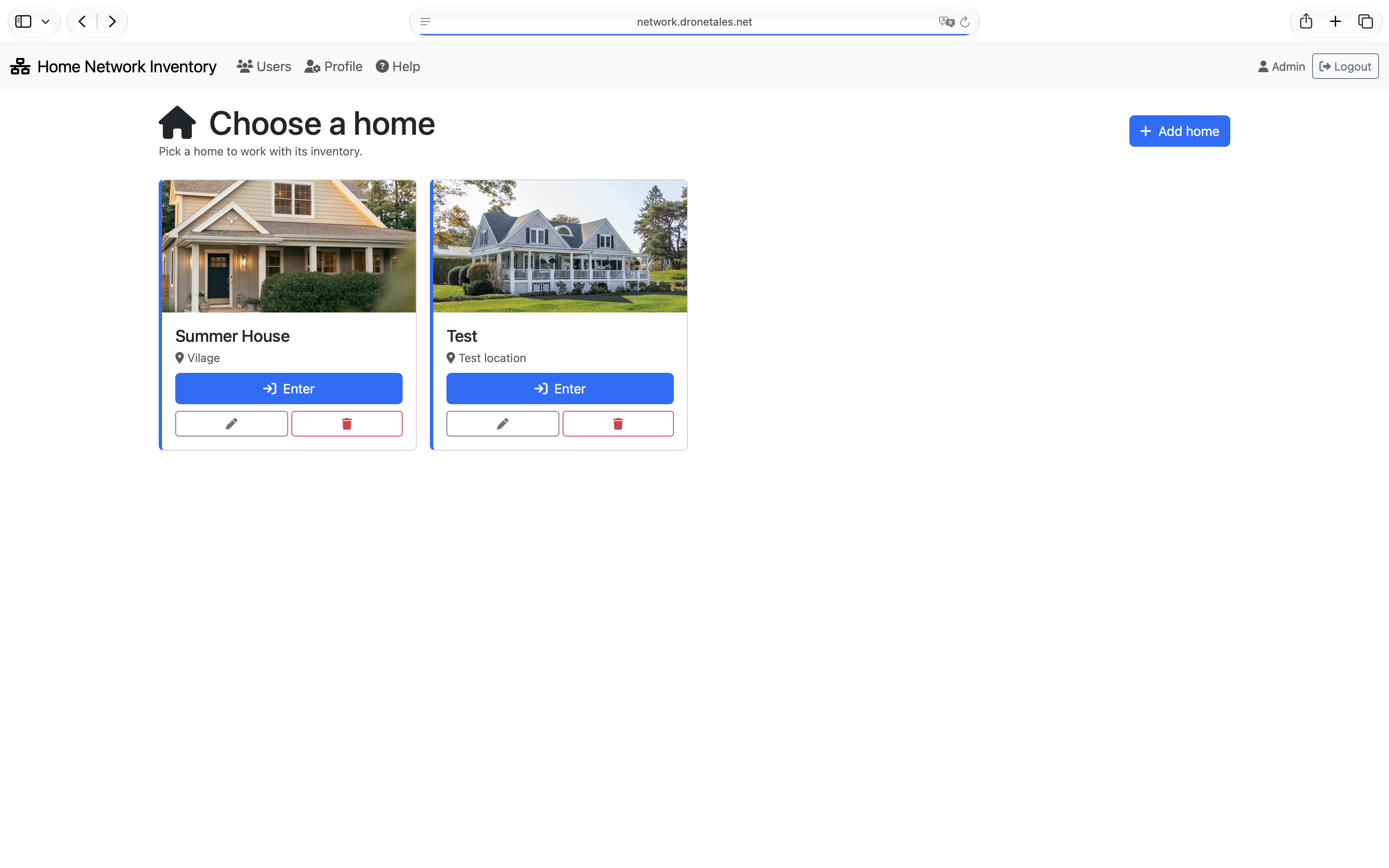
Two homes, one interface
Sites separate your networks. Switch between them and see only what belongs there — devices, subnets, credentials, everything scoped.
A country house and an apartment never mix. Each home has its own set of devices, locations, networks and connections.
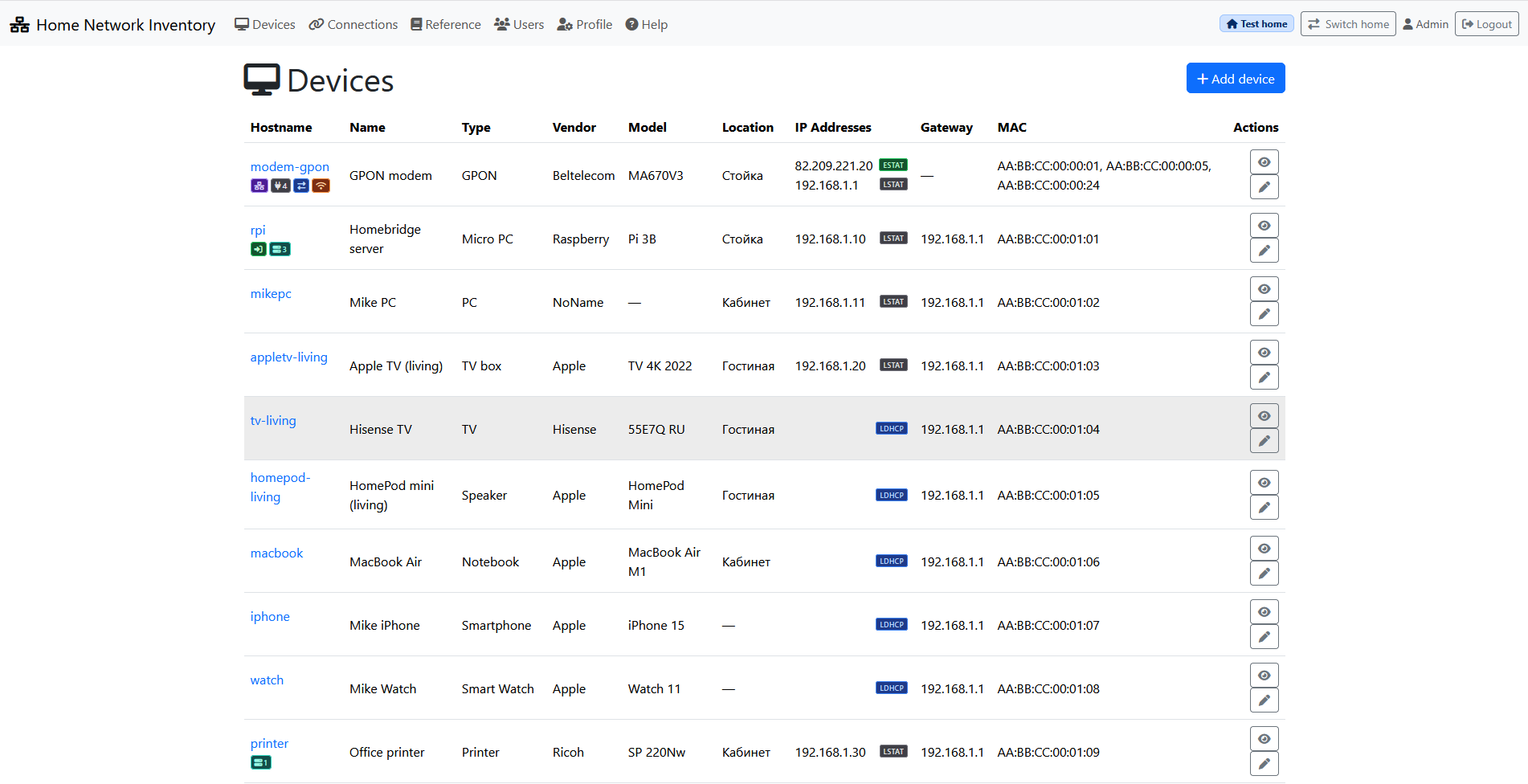
Every device. Every port. Every IP.
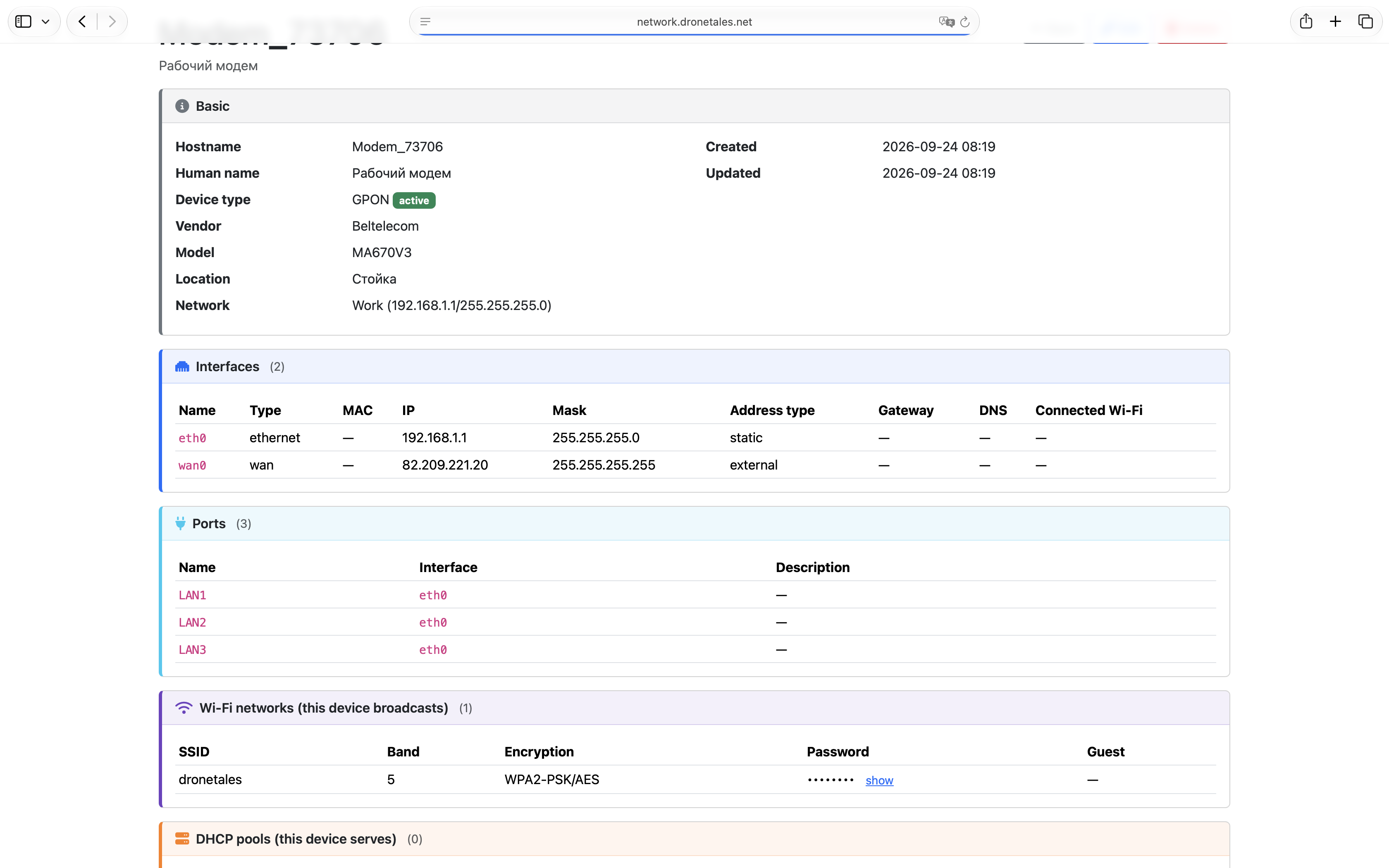
Routers, switches, access points, NAS, IoT — with interfaces grouped by network, IPs typed by origin (static, DHCP, reserved, external), MAC addresses, and badges that tell you at a glance what runs where.
A router can hold LAN, WAN and guest Wi-Fi at once — because the network belongs to the interface, not the device.
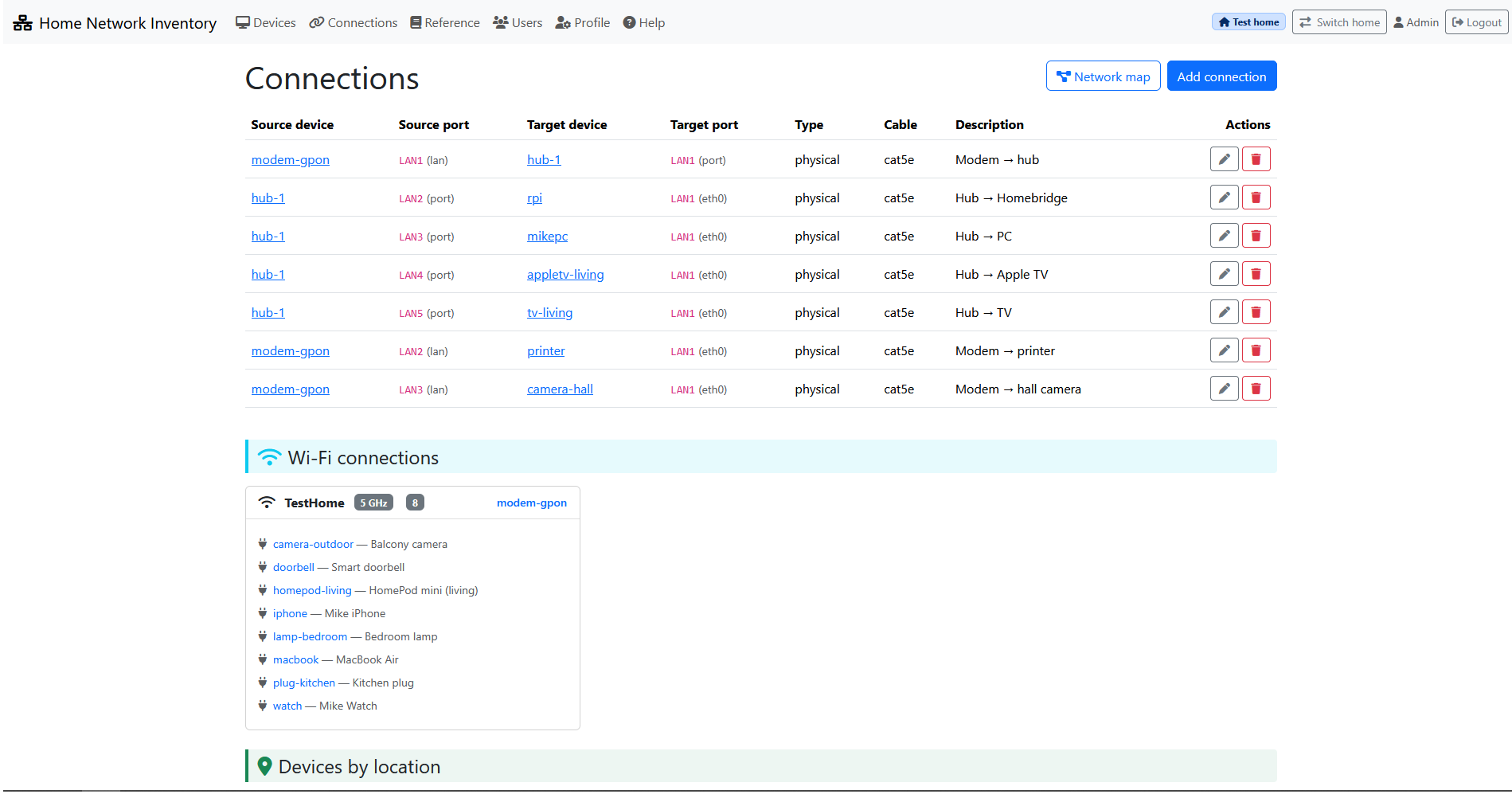
What's plugged where
Physical and logical connections between device ports. One cable, one connection — duplicates and self-links are rejected automatically. Wi-Fi clients are grouped under the network they joined.
Devices are laid out by location on the same page. Drag a device to another room and it moves — no reload, no forms.
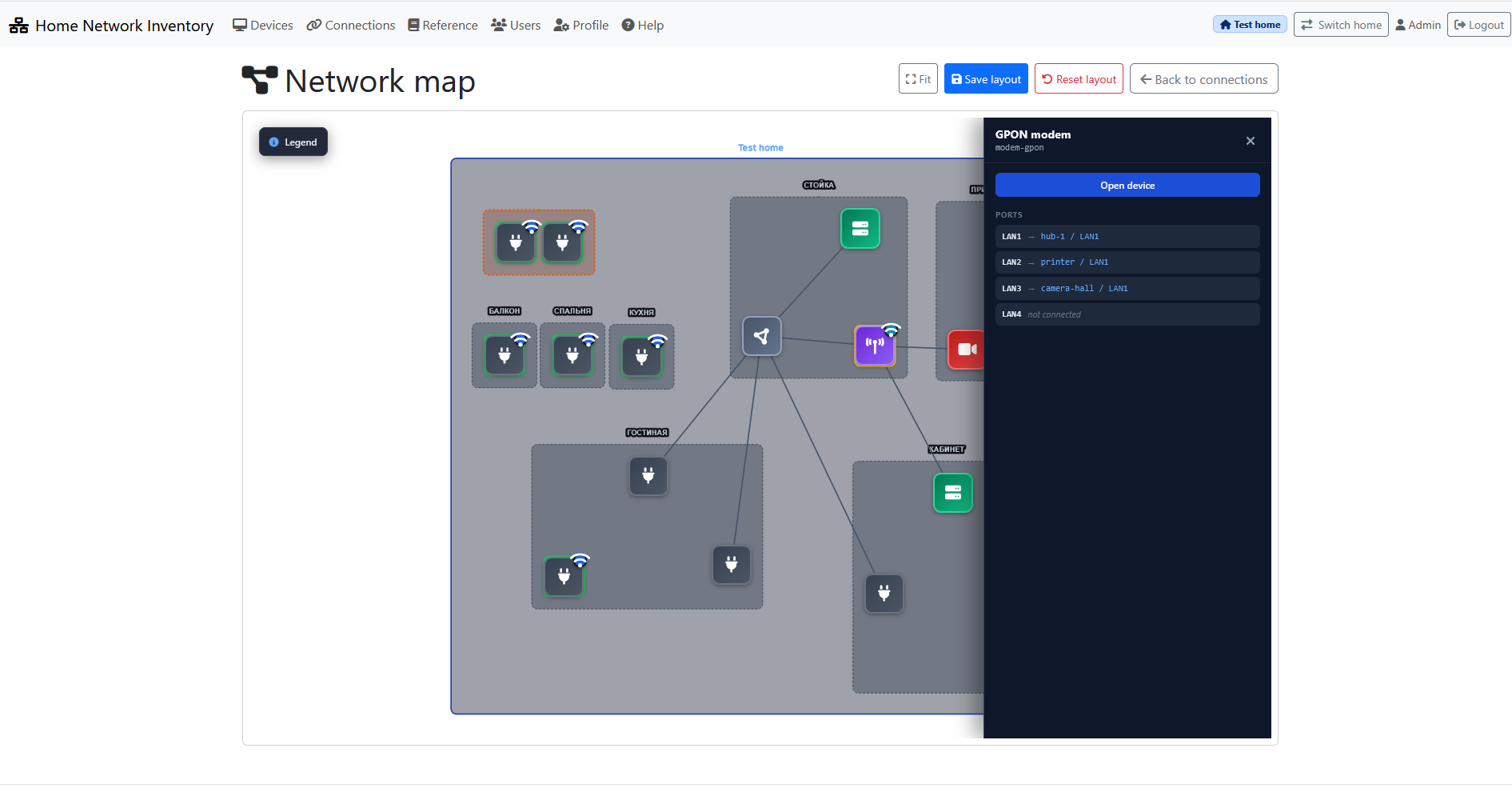
See the network, not just a list
Topology draws the whole home — locations as containers, devices inside, cables and Wi-Fi links between them. Devices without a location are outlined in orange, so nothing slips through.
Drag nodes to arrange the graph, then save the layout per home. Next time you open it, everything is where you left it.
Passwords only for those who should see them
Credentials are stored once and shown per role. Admin and user accounts with independent flags: edit devices, view passwords, change passwords.
Port forwarding rules live on the router form — port ranges, protocol, target as device or manual IP. Incoming forwards show up on the target device page, so you always know what is exposed.
Also in the box
- Wi-Fi networks
- DHCP pools
- Services
- Backups
- Roles & permissions
- RU / EN interface
Self-hosted from day one
Home Network Inventory is not a service — it is software you download and run yourself. Clone the repository, start it on a Raspberry Pi or any small server, and it becomes yours: your data, your backups, your rules.
Python 3.11, FastAPI, SQLite. No cloud, no accounts, no telemetry. Deployment notes and systemd examples are in the repository.
View on GitHub ↗